


Powered by AI
Google Business Profile management tools for business
The all-in-one Google Business Profile management software your brand needs to stand out in search results. Help your local business shine with consistent posts and review management across your Google Business Profile.
Enterprise-grade everything

Why Vista Social
Everything you need for Google Business management
Connect one or more Google Business Profiles to Vista Social and start managing reviews and sharing updates about your local business. Keep tabs on your reputation to make sure your brand gets noticed in search results.
Update your audience with consistent posts

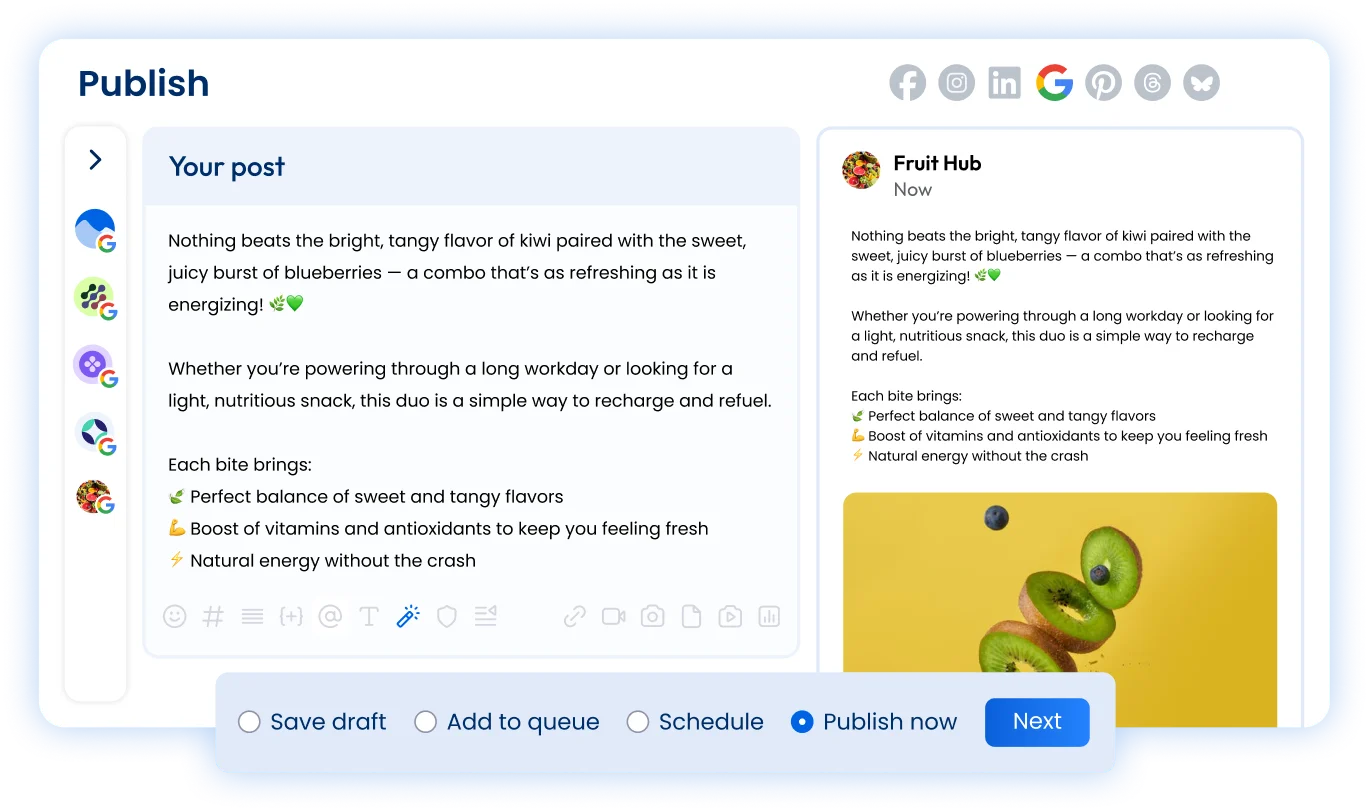
Google Business Profiles should consistently share new posts and updates with their local customers. Create text, link, and image posts right from Vista Social.
Respond to every review

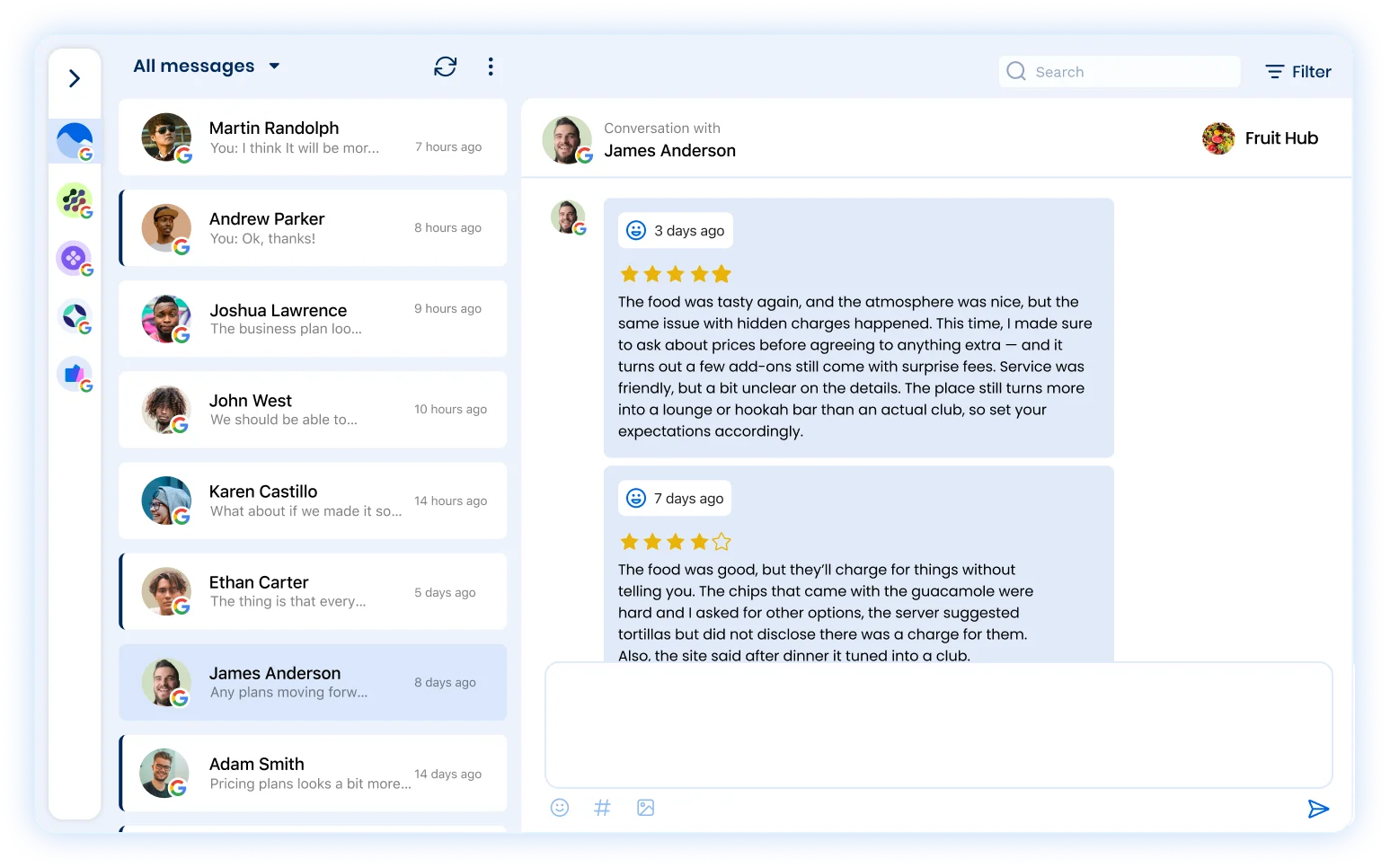
Your Google Business Profile is also where you’ll see the majority of your reviews come in. Stay on top of those in the Social Inbox, reading and responding instantly.
Track your Google Business performance

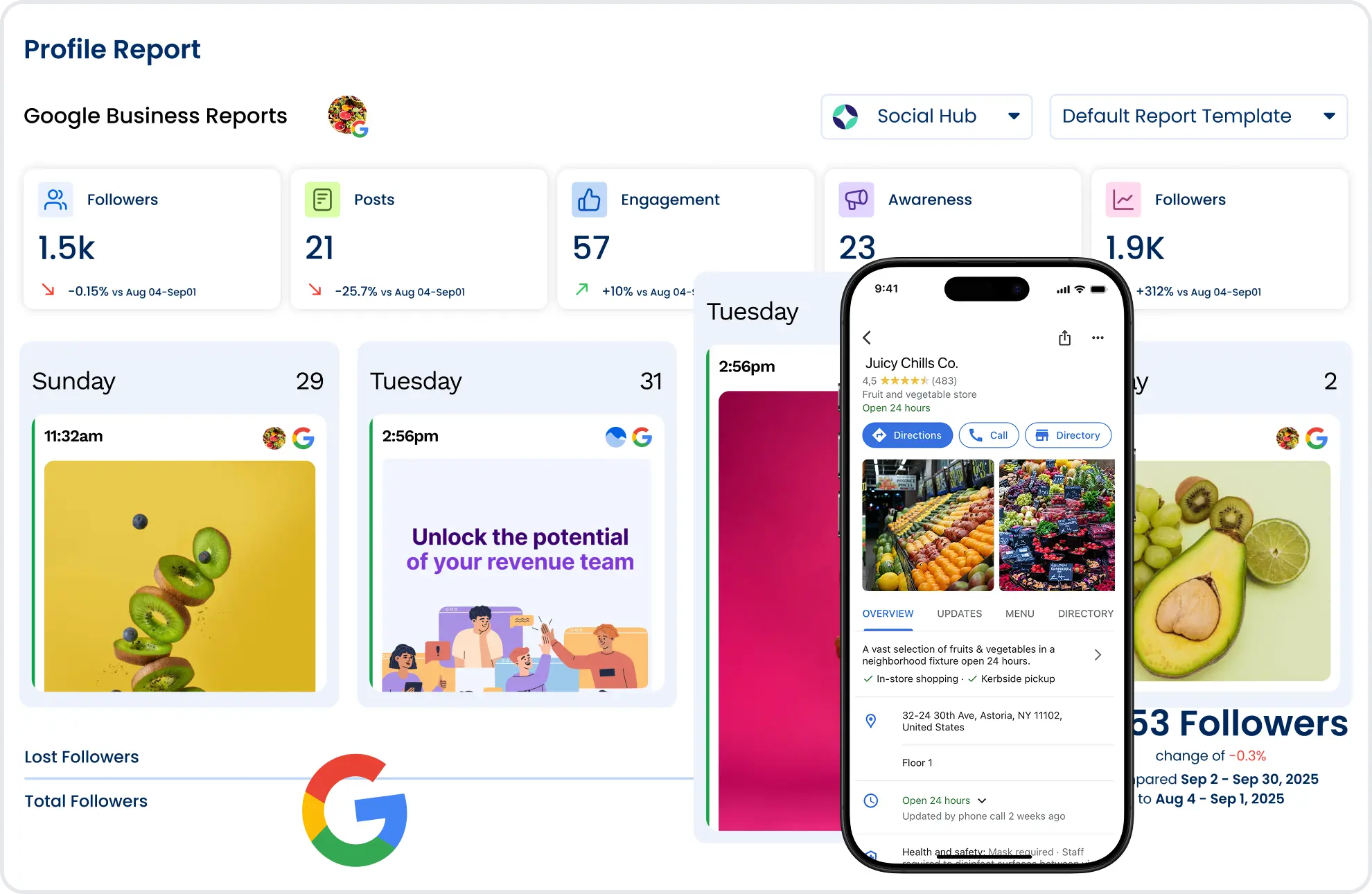
Your Google Business Profile report outlines how many reviews, impressions, and engagement your business listing has gotten so you can track growth.
Publishing
Keep your customers up-to-date with your Google Business content
Share updates with your customers
Vista Social’s content creation tool makes it easy to share text, photo, and link posts with your audience so you can update them on special, menu changes, and more.
Create a month of content at once
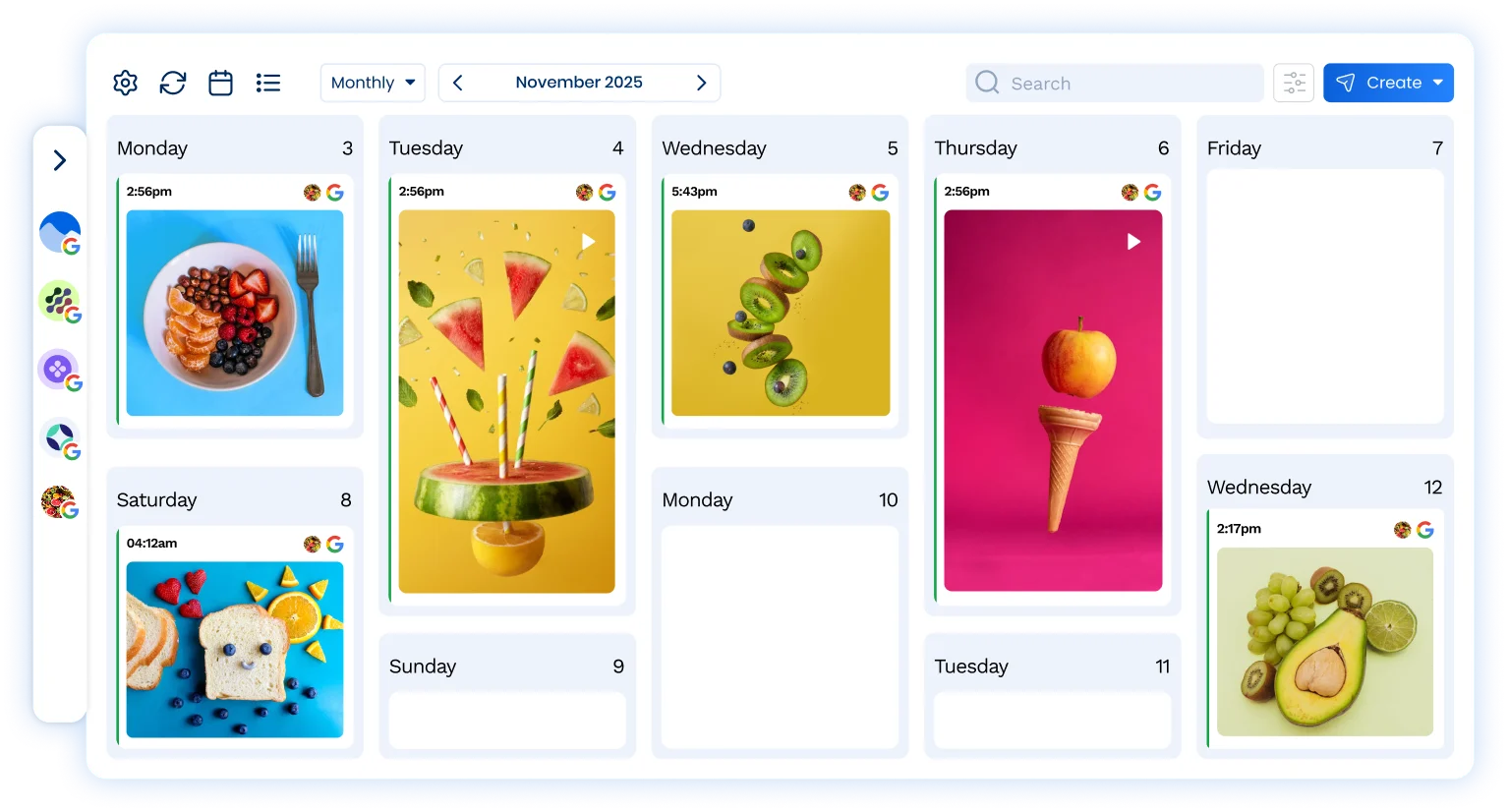
Create and schedule a month (or more!) of Google Business posts at one time, and watch as they auto-publish without you needing to lift a finger.
Visualize your posts in the content calendar
Drag-and-drop your Google Business content around until everything sits exactly where you want it to on your social media content calendar.
Reviews
Manage your Google Business reviews with your team
Stay on top of Google reviews
Access all reviews in the Reviews or Social Inbox tab in your Vista Social dashboard. Filter by sentiment, respond swiftly, and keep tabs on your brand’s reputation.
Manage reviews with your team
Assign reviews to different team members depending on the context of the review so the right person can handle the right customer concerns.
Take customer notes using the Social CRM
Save customer information in the Social Inbox so your team can see the full scope of any customer conversation, whether positive or negative.
Features
Take your Google Business marketing to the next level

Scheduling
Input and schedule multiple social media posts to keep your Google Business presence active and engaging.

Boosting
Boost high-performing Google Business posts to reach an even wider audience, increase engagement, and grow your following.

Optimal send times
Find the best times to publish your Google Business posts based on when your specific audience is most active.

AI Assistant
Create even more on-brand and engaging Google Business content with the help of Vista Social’s AI assistant.

Media library
Upload and organize images, videos, PDFs, and more to the Vista Social media library to include in your Google Business posts.

Post queues
Set predefined times of when you would like to post to Google Business so you can easily add new posts to your queue.

Shared calendar
Manage Google Business content in a collaborative visual calendar so everyone on your team is on the same page.

Mobile app
Seamlessly manage your Google Business presence on-the-go with Vista Social’s easy-to-use mobile app.

URL Tracking
Add tracking data to your Google Business links to get an even better look into your overall content performance.
FAQ
Frequently asked questions
Yes, you can connect multiple Google Business Profiles to your Vista Social account and schedule your posts. The number of profiles you can connect depends on your plan. See plans.
Yes, you can publish image posts to Google Business Profiles right from your Vista Social account.
Yes, you can publish link posts to Google Business Profiles right from your Vista Social account. Google Business even lets you add a CTA button to your posts.
Yes. Reviews from your Google Business Profiles come into Vista Social, where you can read and reply to them directly.
Yes, we offer a comprehensive set of reports that include Google Business Profiles. These reports can be scheduled and exported in CSV and PDF formats.
Used every day by teams at
Keep your Google Business Profile current and every review answered.
No credit card required.